Invite people to a group
Open the group, tap •••, then choose Invite to Join to send a link, Show QR Code for someone next to you, or AirDrop the Invite. Invites expire 7 days after you last share them, so just share again for a fresh one.
Log shared costs in seconds, split them evenly or any way you like, and settle up in as few payments as possible. Your friends don't even need the app.
Free on iPhone. No in-app purchases.
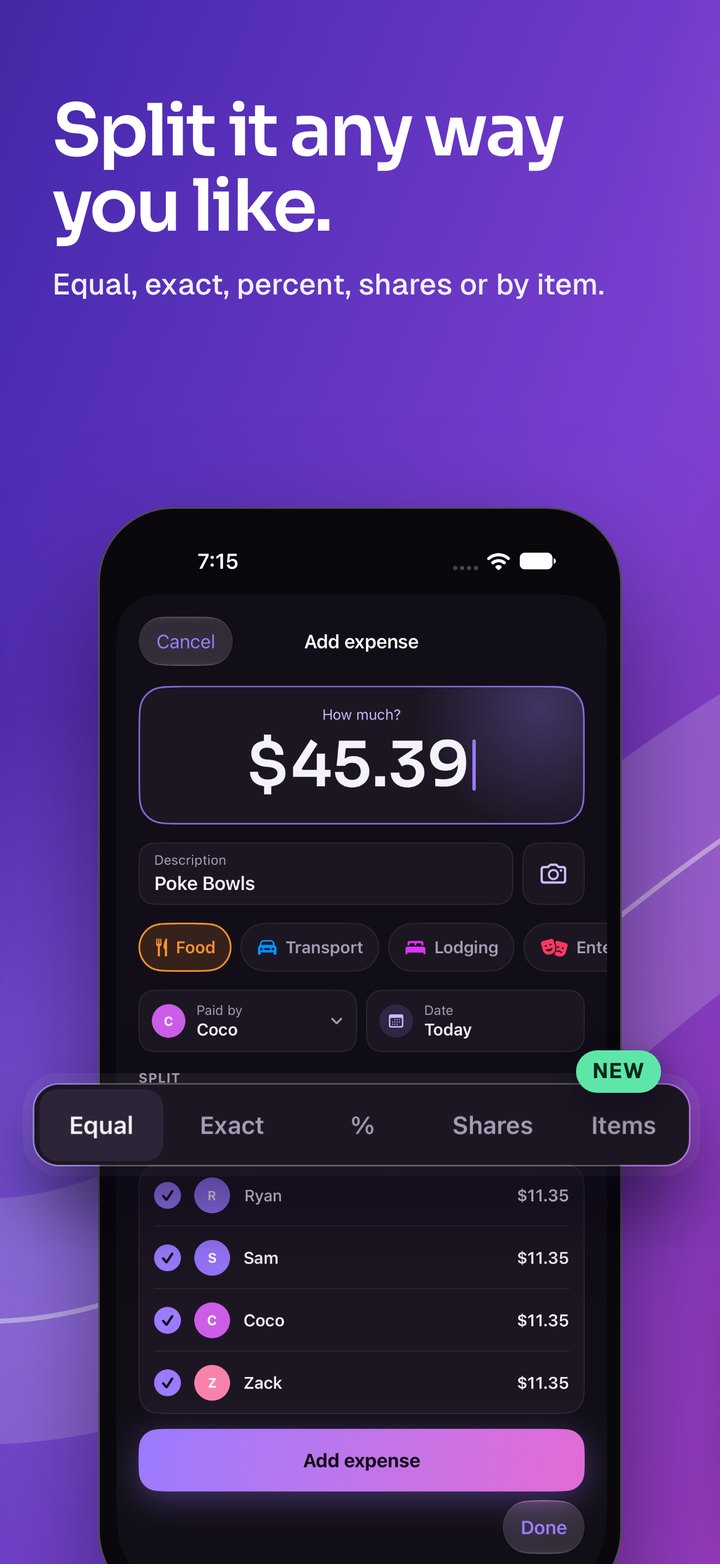
Evenly, by exact amounts, by percentage, by shares, or item by item from the receipt. Ohoo checks the math so it always adds up to the cent.
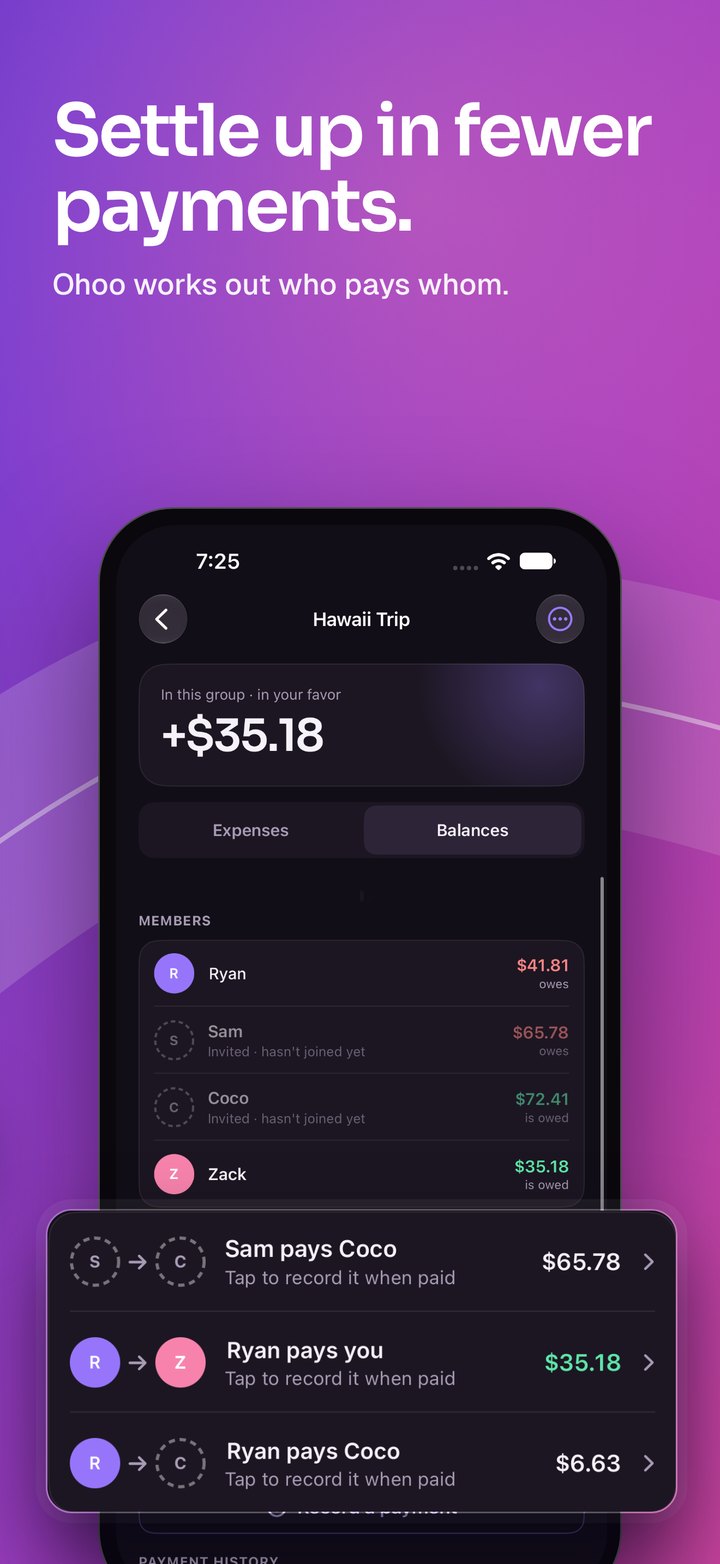
Ohoo untangles who owes whom and suggests the smallest set of payments that squares everyone up.
Add people by name and start logging. They can join later with an invite and see the same shared ledger.
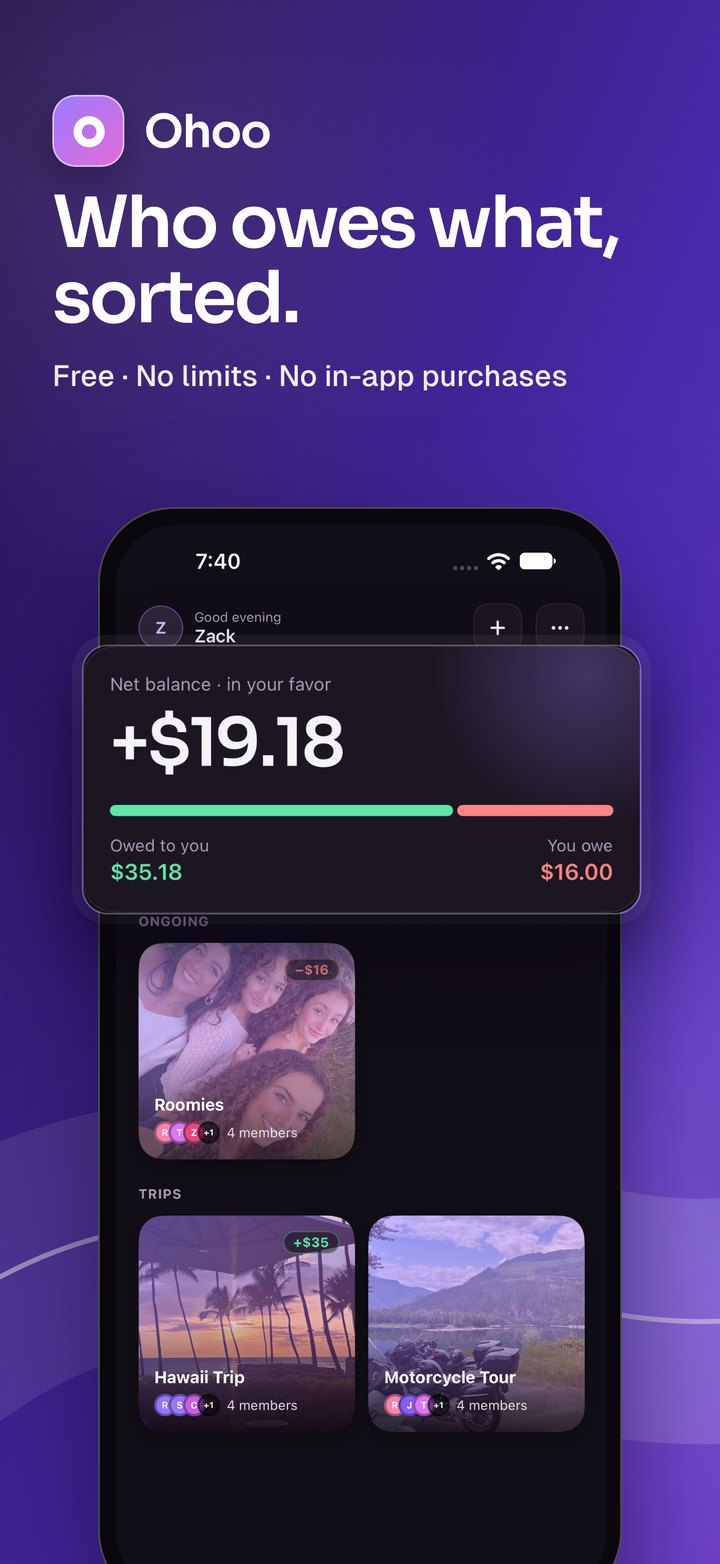
Tap + on the Groups screen and give it a name. Pick Ongoing for roommates, a partner or a regular dinner crew, or Trip for a weekend away.
Open the group and tap Add expense. Type the amount, say what it was for, and you're nearly done.
Everyone in the group sees the same ledger. Your numbers are always one glance away.
Open the Balances tab. Ohoo lists each person's balance, then the fewest payments that square everyone up.
Ryan, Sam, Ana and Mia go out. Here's how the same bill splits with each option on the Add expense screen.
Everyone ticked pays the same.
Best for most things: groceries, gas, a shared Airbnb.
Type each person's amount.
When everyone ordered different things. Ohoo shows what's left to assign.
Slide each person's share to 100%.
Great for rent and bills split by an agreed ratio.
Give people more or fewer shares.
Couples count as two, kids as half. No calculator needed.
Add each item from the receipt and tap who had it. Shared items split evenly between the people on them.
Tax and tip are shared in proportion to what each person had. Best for restaurant bills where everyone ordered something different.
After a few days of trading off dinners and cab rides, a group can end up with a tangle of IOUs. Ohoo nets them out so fewer people have to pay, and nobody ends up a cent off.
Most group options live behind the ••• button in the top corner of a group.
Open the group, tap •••, then choose Invite to Join to send a link, Show QR Code for someone next to you, or AirDrop the Invite. Invites expire 7 days after you last share them, so just share again for a fresh one.
Tap the invite link, or on the Groups screen tap ••• → Join Group and type the code or scan the QR code. You'll see the group first, then confirm to join.
In the group, tap ••• → Add by Name. They're included in splits and balances straight away. If they install Ohoo later, send them an invite.
On the Add expense screen, tap the camera next to the description. Take a photo or pick one from your library. Anyone in the group can open it later from the expense.
On the Expenses tab, use the search bar under the tabs. The filter button next to it narrows the list by person, date or category.
Tap the expense to open it, then delete it. It stays in the list crossed out, with who deleted it and when, so the whole group can see what changed.
Open an expense and tap Copy to new expense. Add expense opens with the same amount and people (or the same items, tax and tip), dated today. Made a mistake? Copy it, fix the copy, then delete the original.
Once you're in a group, Ohoo asks if you'd like notifications. You'll get one when someone else adds or deletes an expense, records or deletes a payment, or renames the group. Change it any time in your iPhone's Settings › Notifications › Ohoo.
Trip over? Tap ••• → Hide Group once you don't owe anything. It hides only for you, and pops back if someone adds something new. Find it again under ••• → Hidden Groups on the Groups screen.
Tap ••• → Export for a CSV spreadsheet or a PDF summary of every expense and payment. Handy for your records after a trip.
Tap your name at the top of the Groups screen to manage your account. Forgot your password? Use Forgot password on the sign-in screen and we'll email you a reset link.
No. Add them by name and they're part of every split. They can join with an invite whenever they like.
Yes. There are no in-app purchases, no daily limits on expenses and no waiting before you can add one.
No. Pay each other however you normally do, then record the payment in Ohoo so everyone's balance updates.
Only if you allow them. You'll hear when someone else in your group adds or deletes an expense or a payment, or renames the group, never about your own changes. No ads or promotions.
Ohoo is for iPhone. Friends on Android can still be added by name, so nobody gets left out of the split.
Only the members of that group. Read the full privacy policy.
Email us at ohoo@zind.com and we'll help.
Set up your first group in under a minute. Free on the App Store.